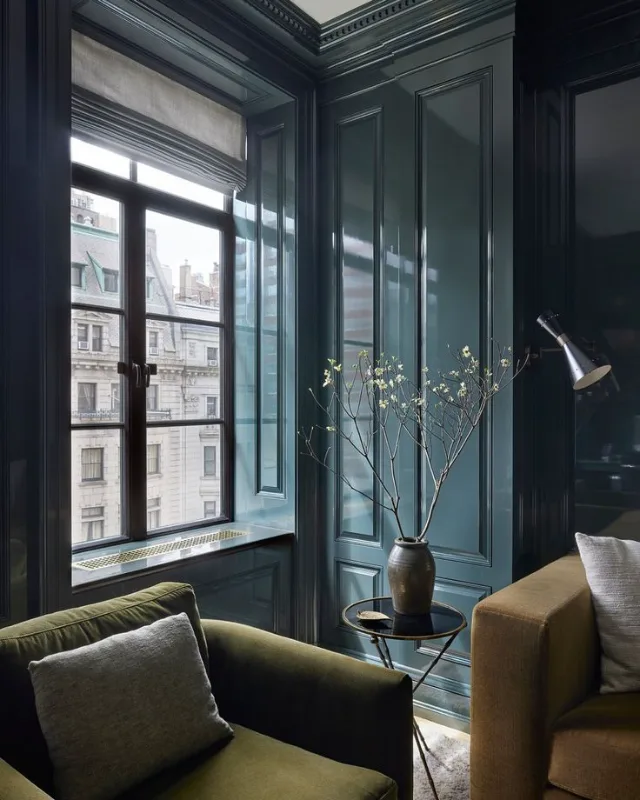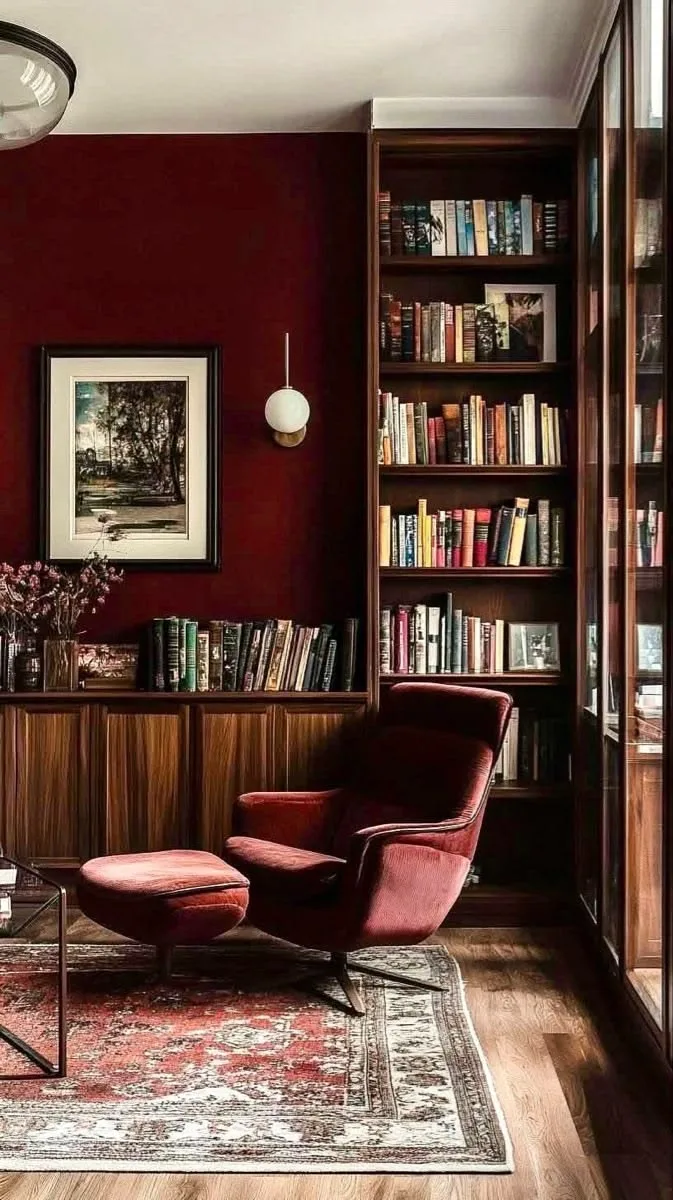
Pinterest is one of the best places to find inspiration for decorating your home. Whether you’re looking for the perfect warm white for a living room, a calming green for a bedroom, or a bold color for a feature wall, it’s easy to save dozens of beautiful rooms and paint ideas.
But there’s one frustrating problem: what paint color is actually on the wall?
A Pinterest image might show exactly the look you want, but the original paint color often isn’t listed. Even when it is, you may not be able to buy that particular brand or color where you live.
That’s why we built our Find a Color tool.
Our tool lets you upload any inspiration image and find paint color suggestions from multiple paint brands. Each suggestion also comes with a direct link to the manufacturer's product page so in just a few clicks you can order a sample to test yourself at home.
What Is the PaintMatch "Find a Color" Tool?
The PaintMatch Find a Color tool lets you pick a specifc color in your uploaded image and then matches that against our database of paint colors. If there's a match, then we show multiple suggestions that are visually similar to the color you picked. That way you can see and compare multiple different paints from different brands helping you discover new options and select the best for you budget and preference.
This makes it particularly useful for Pinterest inspiration.
Found a kitchen with a beautiful muted blue? Upload it.
Saved a bedroom with the perfect-looking beige? Upload it.
Seen a living room painted in a color you love but can't identify? Upload the image and see which paint colors might give you a similar starting point.
The important thing to remember is that this us an inspiration tool, not an exact color matcher.
Why Can't You Get an Exact Paint Color from a Photo?
It might seem like a photo should contain all the information needed to identify a paint color. Unfortunately, it's not quite that simple.
The color you see in a photograph can be affected by all sorts of things, including:
- Lighting: Natural daylight, warm bulbs and cool bulbs can dramatically change how a color appears.
- Time of day: The same room can look completely different in morning, afternoon and evening light.
- Camera settings: Phones and cameras automatically adjust exposure, white balance and color.
- Editing: Pinterest images may have been edited, filtered or compressed before you see them.
- Surrounding colors: Furniture, flooring, curtains and other surfaces can influence how we perceive a wall color.
- Screens: Your phone, tablet or computer display also changes how colors are reproduced.
There's another important factor: a photograph doesn't tell us the original paint formulation or how it interacts with the particular surface it was applied to.
So even if we identify the exact pixel color from an image, that doesn't necessarily mean we've identified the exact paint color that was used in the room.
That's why it's better to think of image-based color matching as finding a close visual starting point, rather than identifying a guaranteed exact paint color.
How to Find a Paint Color from a Pinterest Image
Using the tool is simple. Here's how to turn a Pinterest image into paint color inspiration.
Step 1: Find an image you love on Pinterest
Start by browsing Pinterest for the room, furniture, color or decorating style you're interested in.
For example, you might search for:
- Sage green living room
- Warm white kitchen
- Blue bedroom walls
- Neutral dining room
- Terracotta hallway
When you find an image that captures the look you're after, save it to your device.
Step 2: Save the Pinterest image
On the Pinterest app or website, open the Pin you want to use.
Look for the option to download or save the image to your device. Depending on your device and the version of Pinterest you're using, the exact wording and location of the download option may vary.
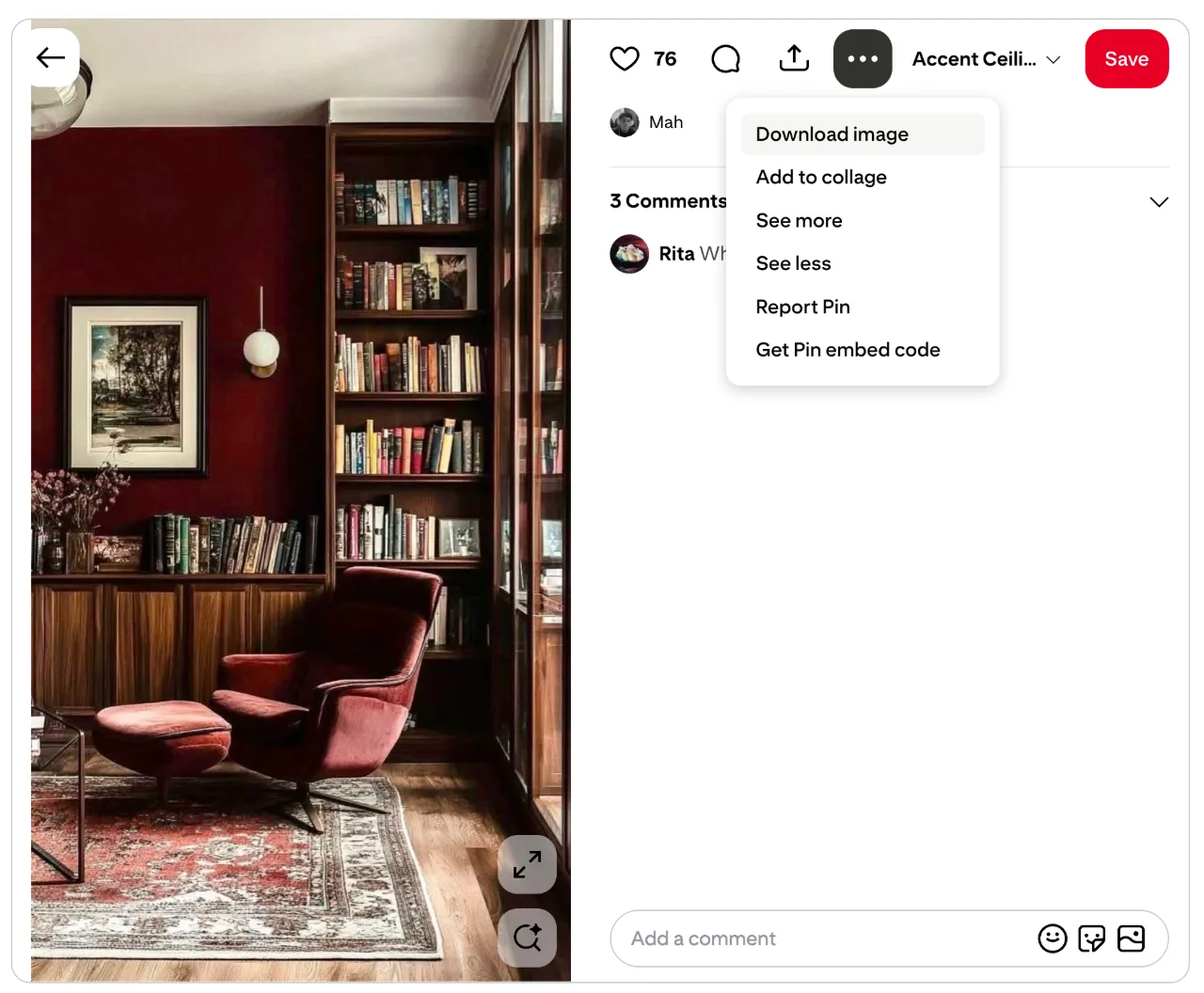
If you can't download the image directly, you can also save a screenshot of the Pin.
For the best results, try to use an image where:
- The painted wall or surface is clearly visible.
- There is plenty of the color you're interested in.
- The image isn't heavily filtered.
- The room isn't extremely dark or brightly overexposed.
Step 3: Open PaintMatch's Find a Color tool
Once you've saved your image, open the Find a Color tool on PaintMatch.
Upload the Pinterest image from your phone, tablet or computer.
The tool will analyze the image and provide paint color suggestions based on the colors it detects.
Step 4: Explore the suggested colors
This is where PaintMatch can be particularly useful.
Rather than simply giving you one possible answer, you can explore similar colors across different paint brands.
A color you love in a Pinterest image might have several comparable options from different manufacturers. Seeing those options together gives you a much better idea of the available choices.
You may discover that the color you had in mind has a close equivalent from a brand that's easier to buy locally — or find an alternative that's even closer to the look you're trying to achieve.
Don't Stop at the Screen — Order Samples
The most important step comes after you've found some promising colors.
Order paint samples and test them in your actual room.
This is the best way to see whether a color really works in your home.
A color that looks perfect on Pinterest can look surprisingly different once it's on your own wall. Your room's natural light, artificial lighting, flooring, furniture and surrounding colors will all affect how the paint looks.
We recommend testing your shortlisted colors on your walls — ideally on more than one wall and at different times of day.
Look at the samples in:
- Morning light
- Afternoon daylight
- Evening light
- Artificial lighting
You may find that a color you initially loved isn't quite right, while another option looks even better in your space.
That's exactly why we think PaintMatch works best as part of a sample, test and compare process.
PaintMatch vs. Valspar Photo Uploader
There are other tools available that can help identify or suggest paint colors from photographs.
For example, Valspar's Photo Uploader allows you to upload a photo and explore Valspar paint colors based on the image.
That's a useful feature if you're already committed to using Valspar.
But there's a key difference with PaintMatch:
PaintMatch isn't limited to one paint brand.
With PaintMatch, you can use your Pinterest inspiration image to explore color suggestions from multiple paint brands.
That gives you more flexibility when choosing your paint.
Imagine you've found the perfect dusty blue on Pinterest. A single-brand tool may help you find the closest color within that manufacturer's range.
PaintMatch lets you take a broader approach: find the color you're looking for, then compare your options across different brands.
This is especially useful if:
- You already have a favorite paint brand.
- A particular brand is more readily available in your area.
- You're comparing prices.
- You want to order samples from several manufacturers.
- You want to see whether another brand has a closer alternative.
- You aren't sure which paint brand you want to use yet.
Instead of asking "Which Valspar color is closest?", PaintMatch helps you ask a more useful question:
"What paint colors from different brands could give me this look?"
Use Pinterest for Inspiration, PaintMatch for Ideas, and Samples for the Final Decision
The best way to use image color matching is to think of it as a journey:
Pinterest → PaintMatch → Paint samples → Your wall
Pinterest gives you the inspiration.
PaintMatch helps you turn that inspiration into a shortlist of real-world paint colors.
Paint samples help you make the final decision.
No image-based color tool can perfectly reproduce the experience of seeing actual paint on your own wall. And that's okay.
The goal isn't to promise that a photo contains one magic paint code. The goal is to help you get from "I love this room" to "Here are several paint colors I can actually try in my home."
Ready to Find Your Pinterest Paint Color?
Found a room on Pinterest that you can't stop thinking about?
Save the image, upload it to PaintMatch, and start exploring.
You might not get a definitive answer to "What exact paint did they use?" — but you can get something more useful: a selection of real paint colors to investigate, compare and sample.
Try the PaintMatch Find a Color tool and turn your Pinterest inspiration into your next decorating project.